
| For
best viewing under broadband connection, please make the following settings for your RealPlayer or RealOne Player - RealOne Player Basic Launch RealOne Player Select "Preferences" under the "Tools" menu Select "Connection" Change the normal bandwidth to "DSL/Cable (256 Kbps) " Select "Confirm" 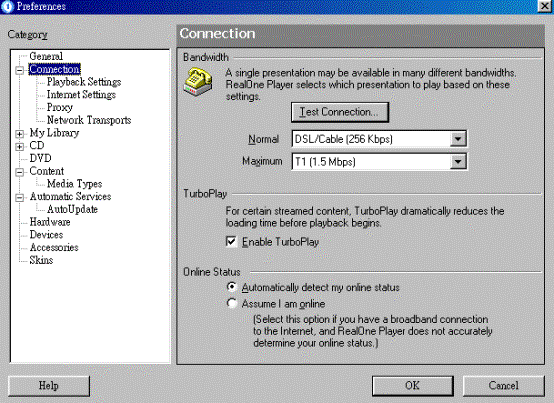
RealPlayer Basic Launch RealPlayer Select "Preferences" under "View" menu Select "Connection" Change the normal bandwidth to "256Kbps DSL/Cable" Select "Confirm" |